Closed Test
Tester Guide
Everything you need to join the closed test, play, and help us shape Town Heroes.
Welcome, hero
Thank you for joining the Town Heroes closed test. You are among the first players to step into the town — and the first people whose feedback will change it.
Town Heroes is a real-time action RPG for Android, iOS and Steam: skill-based combat, deep hero progression, clans, PvP arenas and monster waves at the town gate. The closed test is where we tune all of it with you.
Test waves
The test runs in waves. Each wave has a focus — for example PvP balance — a start and end date, and its own tasks.
Work in progress
You will meet bugs, missing pieces and placeholder art. That is expected: finding them is the point.
Your voice
Every report reaches the team. We read them, group them, reply in the game, and turn them into fixes.
From application to first match
Six steps. Most testers are playing within minutes of the invite.
- 1
Apply
Fill in the form at townheroes.net/tester. We confirm by e-mail right away.
- 2
Get selected
Waves open one by one. When you are picked, your invite arrives by e-mail.
- 3
Your code
The invite carries a personal, single-use code like TST-XXXX-XXXX.
- 4
Install
Download the game from the test channel for your platform (links in the invite and on Discord).
- 5
Enter the code
In the game: Settings › Account › Tester invite code › Enter code.
- 6
Play & report
Play as you normally would — and send what you find with the report button.
Installing the test build
Use the link for your platform from your invite e-mail. The same links are pinned in the #testers channel on Discord.
Android
Open the link with the Google account you use on your phone, tap Become a tester, then install Town Heroes from Google Play.
iOS
Install TestFlight from the App Store, open the invite link on your iPhone or iPad, then tap Install.
Steam
Open the Town Heroes store page, click Request Access under Playtest, then install it from your Steam library.
Test builds update often. When a new build is out, your store app or Steam updates it — or the game asks you to update when you start it.
Entering your invite code
Your account becomes a tester account the moment the code is accepted.
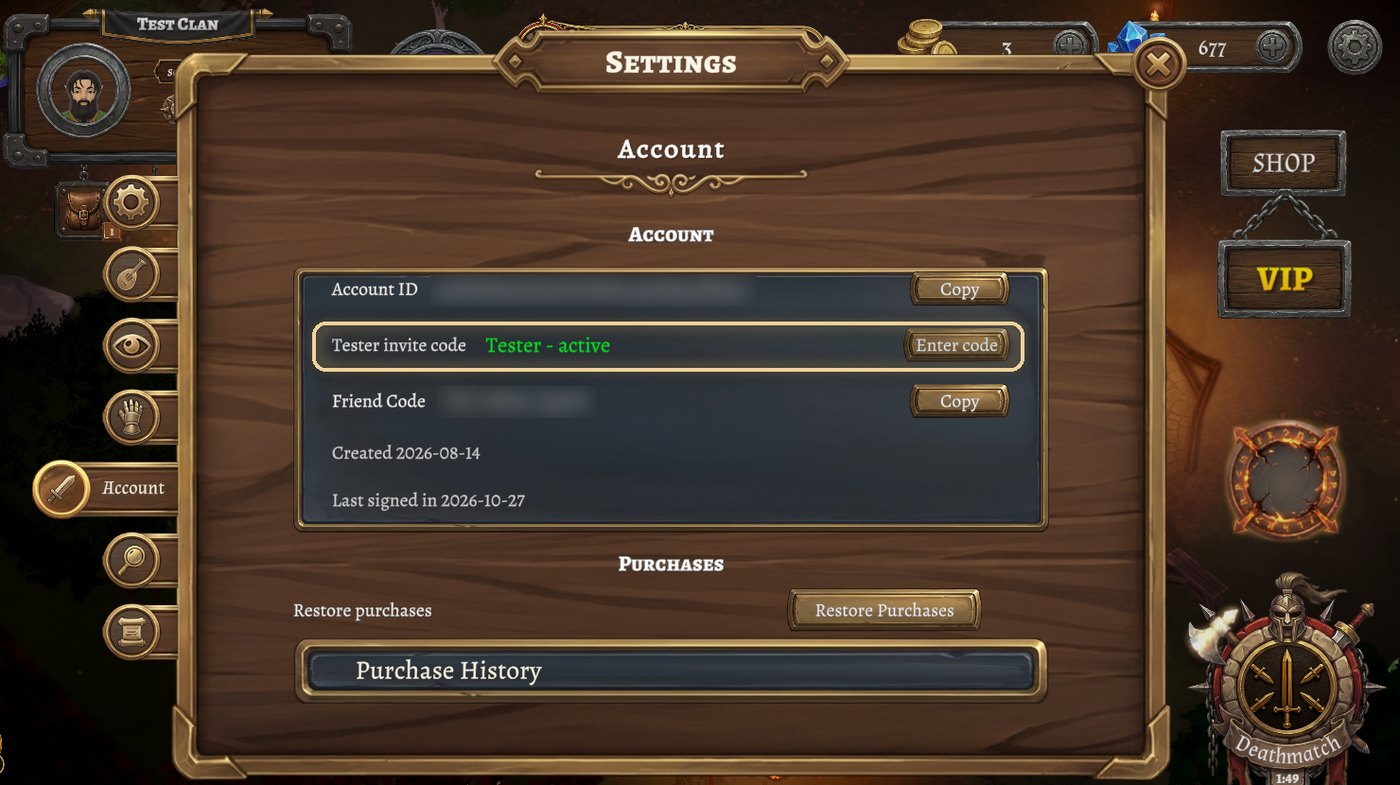
- Start the game and sign in (Google, Apple, Steam or e-mail code).
- Open Settings, then the Account tab.
- Find the Tester invite code row and press Enter code.
- Type the code — dashes, spaces and letter case do not matter.
Once accepted, the report button's Tasks tab opens and you join your wave. Codes have an expiry date, shown in your invite.
The report button
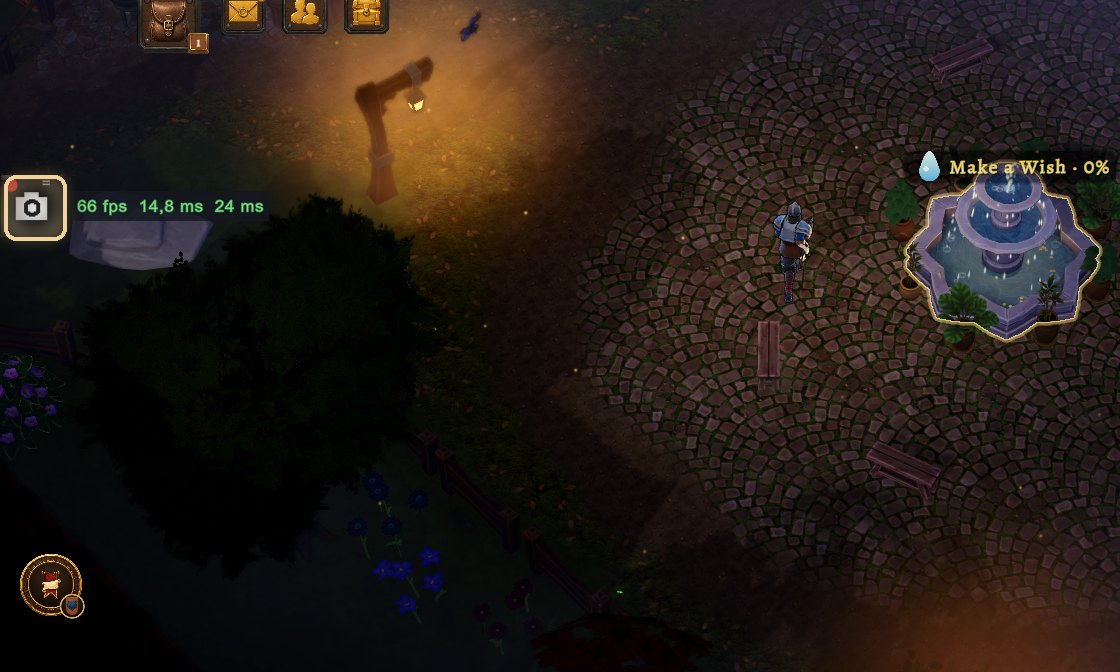
The small button on your screen is the most important tool in the test. It captures what you see, what the game was doing, and what you want to tell us.
Tap
Quick send: a screenshot and the game log go straight to the team. Perfect for 'this looks wrong' moments.
Hold
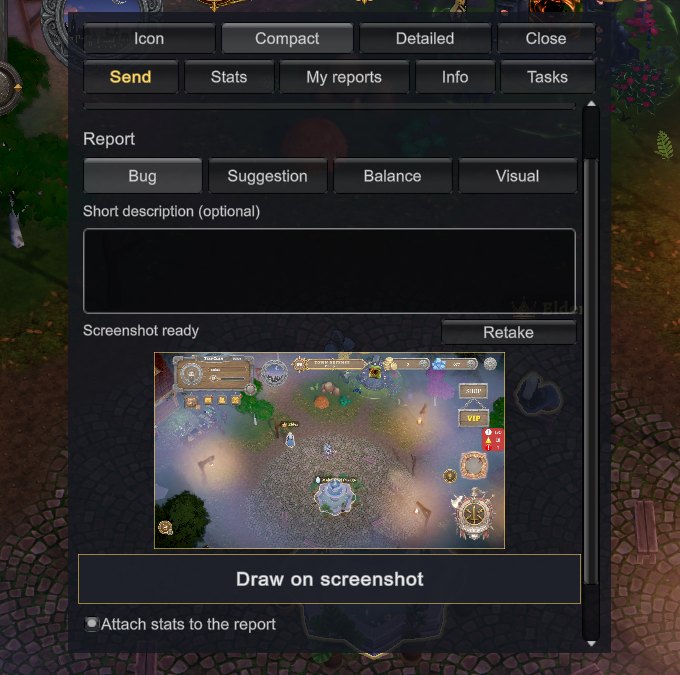
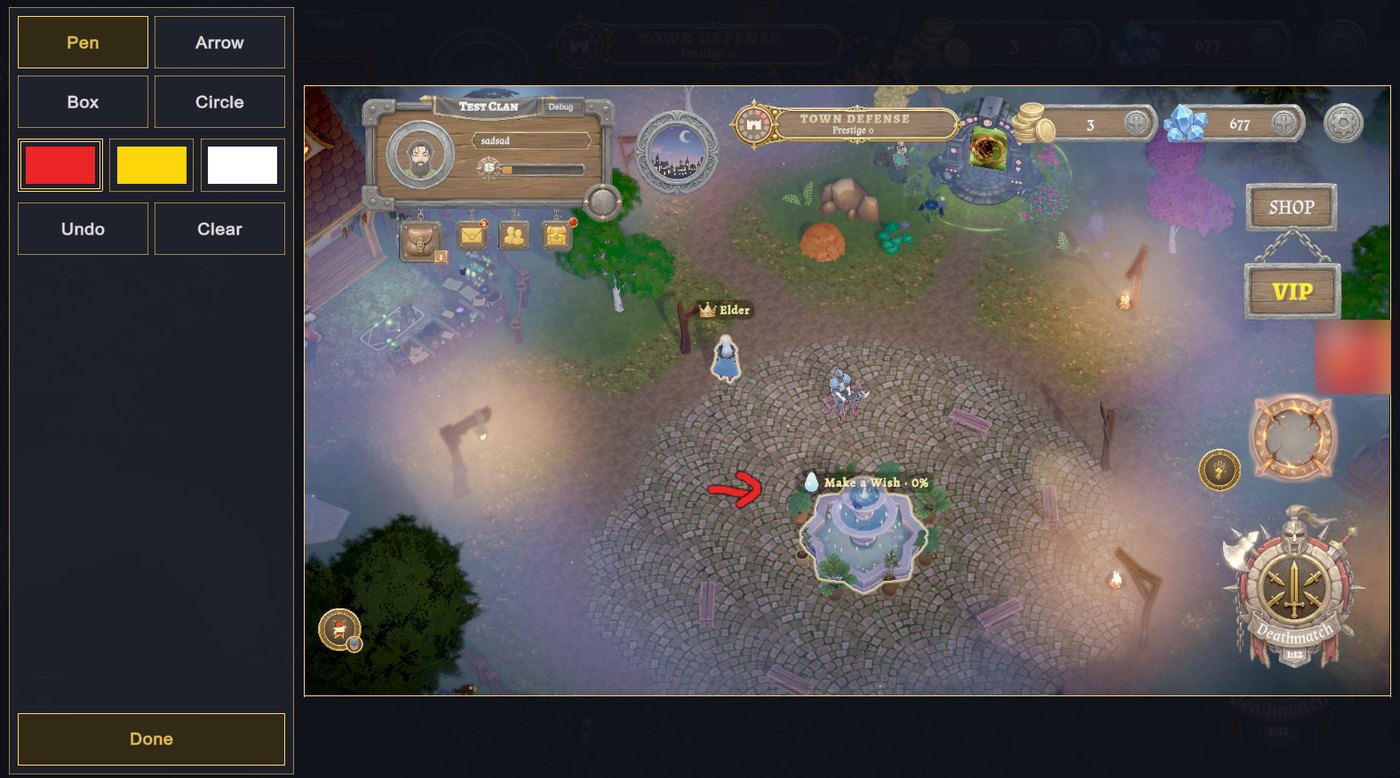
Opens the report form: choose a type, write a short description, draw on the screenshot, attach video and stats.
The report form
- Type — Bug, Suggestion, Balance or Visual.
- Short description — what happened, what you expected.
- Draw on the screenshot — pen, arrow, box and circle to point at the problem.
- Video — attach the last few seconds (a red dot on the button shows it is recording).
- Stats — FPS, ping, memory, battery and temperature, if the problem is about performance.
My reports, tasks and surveys
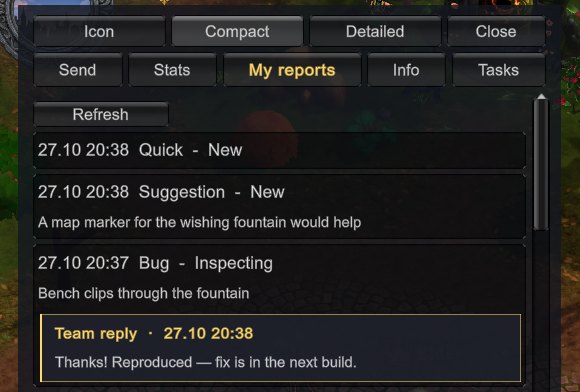
The report panel also shows what happened to your reports — and what the team would like you to try next.
My reports
Every report you sent, with its status: New, Inspecting, Added to the bug list or Closed. When the team replies, the answer appears right under your report.
Tasks
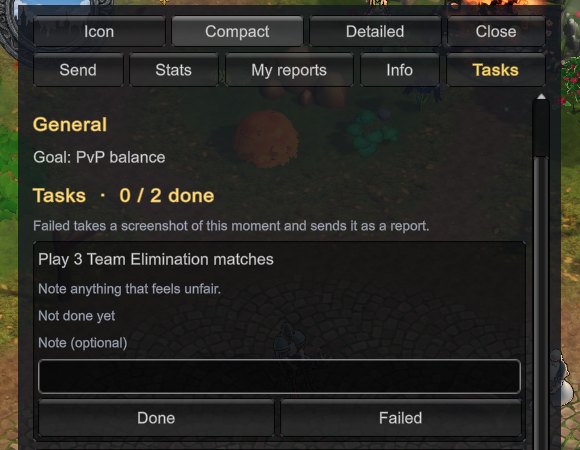
Each wave has a short list of things to test — a mode, a feature, a device setting. Mark a task done, or failed with a report attached. Surveys appear here too; a minute of your time helps us decide what to build next.
Founder Tester
The heroes who are there from day one deserve to be remembered.
Earn the Founder Tester reward
Play a character on every one of the first 7 days of your wave, at least 30 minutes each day. That character receives the Founder Tester reward by in-game mail — a cosmetic title that stays with it after the test.
The reward is earned per character: the hero you played is the hero who wears it. Active, reliable testers are also the first we invite to the next waves.
Writing a great report
The best reports are short, specific and easy to repeat.
"The game is broken."
"Team Elimination, Battle Arena: after I respawned the camera stayed on my gravestone for about 5 seconds. Happened twice. Video attached."
- One problem per report — two problems, two reports.
- Say where: mode, map or place in town, and what you were doing.
- Say what you expected to happen.
- Attach video for anything that moves: combat, camera, animation.
- Balance feedback is welcome — tell us which hero, which skill and why it feels off.
House rules
A few simple rules keep the test fair and useful for everyone.
Keep your code personal
Invite codes are single-use and tied to you. Friends can apply at townheroes.net/tester.
Sharing
Test builds are unfinished. Before posting videos or screenshots publicly, check the current sharing rules pinned on Discord.
Respect
Be kind in matches, chat and on Discord. Harassment, cheating and exploit abuse end test access.
Progress may reset
Characters and items from the test may be reset before launch. Founder rewards are the exception.
Help, community and privacy
We are a small team, and we read everything.
discord.gg/mEj6y6yPnu
#testers for questions, build news and links.
townheroes.net/tester
Applications, this guide in six languages.
support@townheroes.net
Account or access problems.
privacy@townheroes.net
Ask what we store, or ask us to delete your application.
- I applied but have no invite yet.
- Waves open gradually. Your application stays on our list — keep an eye on your inbox and on Discord.
- My code does not work.
- Check the expiry date in your invite and that you are signed in. Still stuck? Write in #testers or to support@townheroes.net.
- Can I play on more than one device?
- Yes. Sign in with the same account; your tester status follows your account.
See you in town, hero.— The Town Heroes team